The article
You spent two hours setting up a custom AI assistant. You gave it the context of your company. You uploaded documentation. You wrote detailed instructions covering your tone, workflow, and rules.
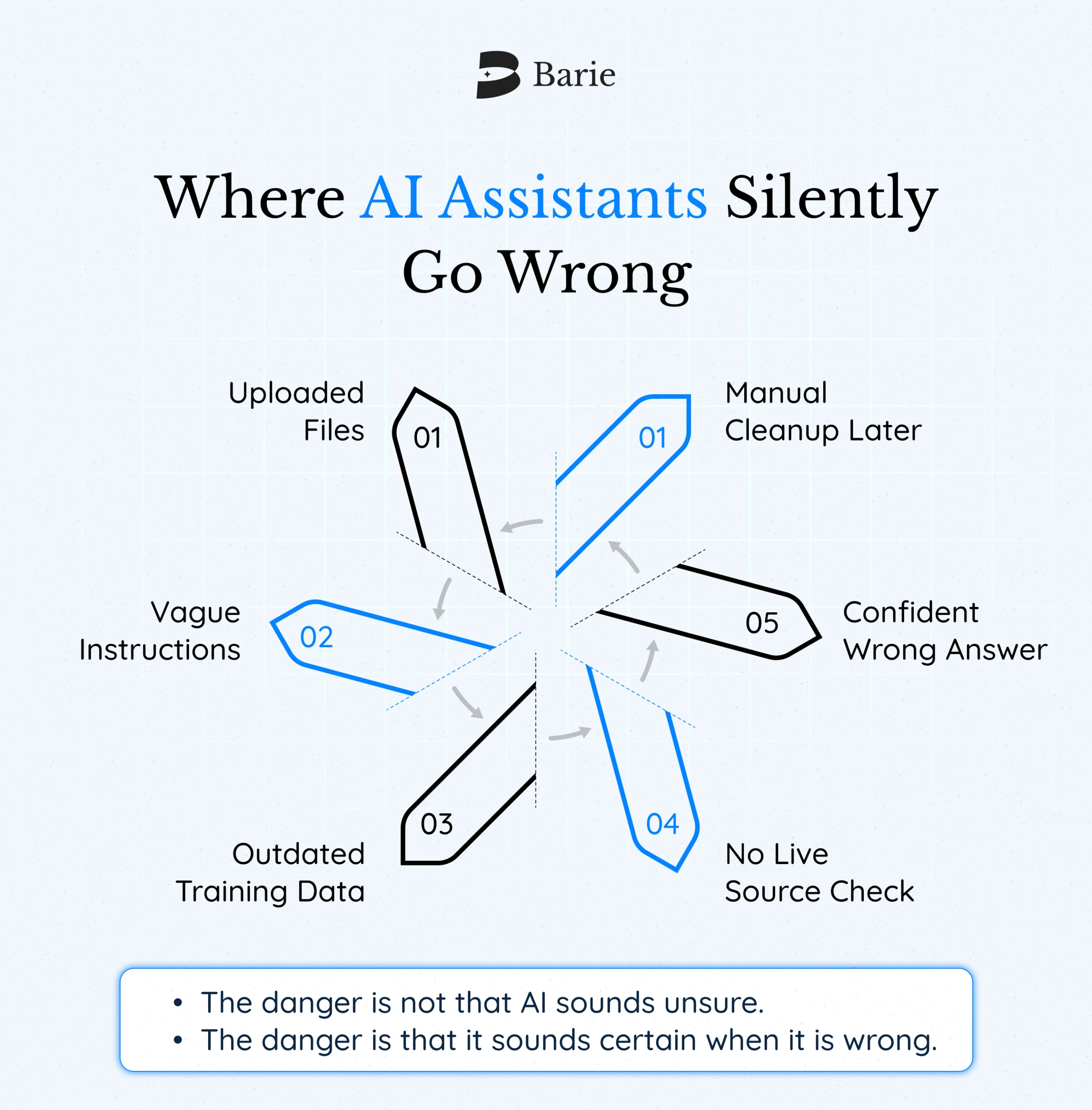
Then you asked a simple question about a recent industry report. It answered with total confidence. Detailed data. Specific figures. A citation that looked real.
The report cited was published in 2021. The figures were outdated by three years. The citation, when you actually searched for it, did not exist in the form described.
Your AI assistant did exactly what you asked it to do. It just did it using invented information. That is not a configuration problem. That is the architecture.
The Part Nobody Tells You When They Say “Build Your Own AI Assistant”
Most guides cover the fun parts. Pick a platform. Write a system prompt. Upload some files. Test a few questions.
They skip the part where the tool you just built is still drawing answers from training data that may be months or years old, with no mechanism for telling you when it is doing that versus pulling live, verified information.
They skip the part where “free” and “no-code” usually mean limited memory, throttled context, no real integrations, and no source citations you can actually trace.
They skip the part where your assistant works brilliantly for four questions and then confidently fabricates the fifth.
So let’s do this properly.
Three Decisions That Actually Matter
Building a useful AI assistant comes down to three questions. Most guides treat them as technical setup steps. They are not. They determine whether your assistant will be reliable.
What is this assistant actually for?
Generic assistants are generically mediocre. The ones that work are built around one specific job, answering customer questions from a fixed knowledge base, summarising research papers, monitoring competitor activity, and running a repeatable weekly workflow.
Pick one use case. Build for that. Expand later.
Does it need live information, or is static knowledge enough?
This is the most important question most guides skip entirely.
If your assistant answers from a fixed document set you control and update yourself, a static knowledge base works. If it needs current information, market data, recent news, or anything that changes, a static system will fail you.
You need live web research. And you need citations, so you can trace exactly where every piece of information came from.
Most no-code builders give you the first. They do not give you the second. That gap is where hallucinations live.
Does it need to act, or just answer?
An AI that answers questions is useful. An AI that answers questions and then acts, sends an email, updates a spreadsheet, and creates a brief in Notion, is a different product category. Most tutorials build the first. Most users eventually want the second.
How to Make Your Own AI Assistant From Scratch: The Honest Walkthrough
Step 1 — Define The Job In One Sentence
Not “help me with research.” That is a category, not a job.
“Analyze five competitor websites each week, summarise positioning changes, and flag new feature launches.” That is a job. Your assistant can be configured around it. Vague inputs produce vague assistants.
Step 2 — Choose Your Platform Based On What You Actually Need
Custom GPTs and Claude Projects are good for storing prompt context and files. They work well for fixed-knowledge use cases. They have limited live web access and still answer from training data more than most users realize.
No-code platforms like Lindy, Botpress, or Voiceflow are good for conversational interfaces without technical skills. More automation options, more setup time, best when connected to external data sources.
Barie AI is built for the case where you need live research, source-cited outputs, and multi-step execution across connected apps. It does not answer from the training data. It researches the live web, cites every source, and connects to your tools via Connectors.
The use case most custom AI assistants handle badly — “research this, verify it, and do something with the output” — is the use case Barie AI was built for.
Step 3 — Write Your System Prompt Like You Are Onboarding A New Employee
A system prompt is the job description for a hire who has zero background context on your work. Good ones specify what the assistant should always do (cite sources, ask clarifying questions before acting), what it should never do (speculate without flagging it, answer outside its domain), and the output format you want.
“You are a helpful assistant who helps me with my business” is not a prompt. That is a vague hope.
Step 4 — Build In Verification
For any assistant handling factual information, build explicit instructions for uncertainty. “If you cannot find a live source for this, say so and tell me where the gap is.”
For any assistant running multi-step workflows, a confirmation step is required before irreversible actions. It should summarise what it is about to do before it does it.
Step 5 — Test Against Your Hardest Cases First
Most people test on easy questions during setup, then discover failures on the tasks that actually matter. Test on questions where being wrong is expensive. Test with information you know has changed recently. See if it admits uncertainty or just fabricates an answer.
If it cannot reliably surface its uncertainty, it will not tell you when it is wrong. It will just be wrong.
What “Free” and “No-Code” Actually Gets You
The free tier on most platforms gives you limited context windows, throttled requests, no API access, and no live web research. Fine for low-stakes personal tasks. Not fine for anything requiring current information or reliable citations.
Barie AI offers 900 free credits, no card required, with full access to live research and source visualization from session one. That is enough to run real research sessions, see what source-cited outputs actually look like, and decide if the capability is worth the upgrade.
No coding required, either. You do not need Python or APIs. You need clear thinking about what the assistant is for, a well-written system prompt, and the patience to test it on real tasks before trusting it.
The most common mistake non-technical users make is treating setup as a one-time task. Good assistants are refined, not just deployed.
What Barie AI Does That a Standard Custom Assistant Cannot
Most AI assistants, however well you configure them, answer from training data. They have a knowledge cutoff. They cannot tell you what happened last week unless someone explicitly connected a live feed.
Barie AI researches the live web for every session. Every output includes traceable citations. You can verify any claim in the output back to its source.
When a founder asks for a competitive analysis of five SaaS tools, Barie AI does not research each tool individually. It runs subtasks in parallel, synthesizes the outputs, and delivers a structured report with live citations. What would take an analyst hours takes Barie AI one session.
That is not a workflow optimization. That is a different product category. Barie AI aces the GAIA Level 3 benchmark, which tests whether an AI can reliably complete genuinely complex, multi-step tasks. Most tools do not publish GAIA scores. Make of that what you will.
The Verdict
Building your own AI assistant is worth doing. A tool that knows your context and formats without re-explaining every session is genuinely useful.
The trap is building something that sounds right while being wrong. An assistant that formats its hallucinations beautifully is not saving you time. It is creating work you do not yet know you have.
Build for accuracy first. Build in live information if your use case requires it. Test against the hard cases before you trust it with the real ones.
Try Barie AI free with 900 free credits. See what source-cited AI research actually looks like.