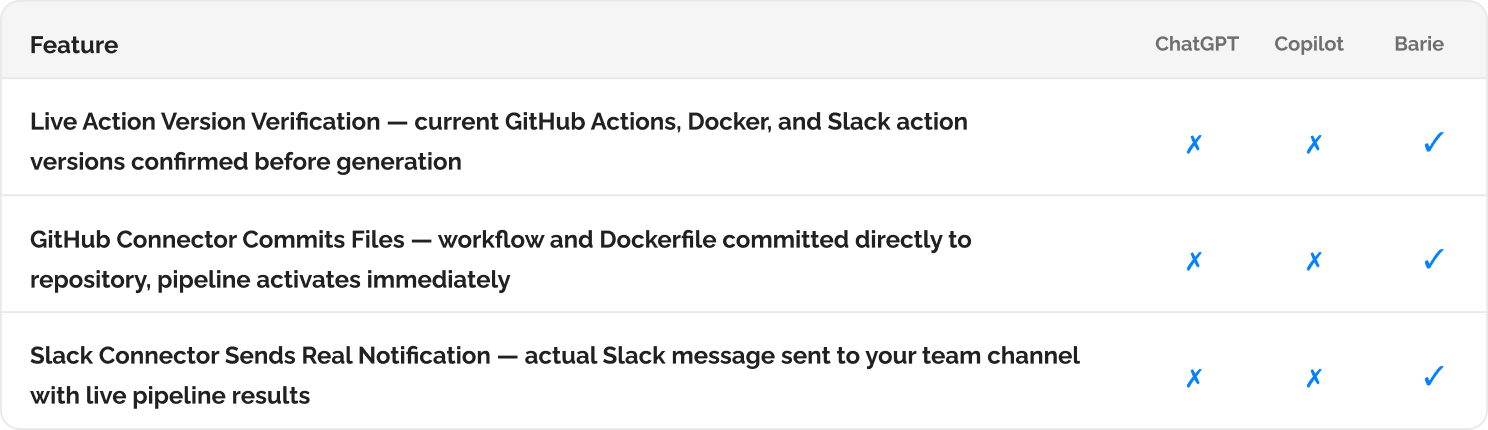
How Barie automates your deployment pipeline — tests, Docker build, registry push, and Slack notification executed from a single prompt
Barie generates the GitHub Actions workflow, Dockerfile, and Slack Incoming Webhook integration using current documentation for all three. Using Barie Connectors, it then executes the pipeline: run tests, build the Docker image, push to a container registry, and notify the team on Slack. The pipeline runs. You do not configure it by hand.
Why DevOps configuration generated from training data breaks on first run
CI/CD configuration is one of the most version-sensitive areas of software development. GitHub Actions syntax changes between major versions. Docker best practices for base images change with each LTS cycle. The Slack Incoming Webhooks API changed its payload format. Container registry authentication patterns differ between Docker Hub, ECR, and GCR, and the recommended approach for each has changed in the last twelve months. YAML configuration generated from training data applies patterns that were correct at training cutoff but may silently fail or produce suboptimal images with current tooling.
Barie retrieves the current GitHub Actions documentation, the current Docker Hub official image tags, and the current Slack API documentation before writing a single line of YAML. The pipeline it generates uses the current action versions, the current base image recommendations, and the current Slack Webhook payload format.
Barie generates the pipeline configuration and then executes it: Generation and execution are both part of the same task. Barie writes the GitHub Actions workflow, commits it to your connected repository via the GitHub Connector, and the pipeline runs on the next push. The Slack notification you receive is the result of the actual pipeline execution, not a preview of what the notification would look like.
Your prompt
Task prompt
“Automate our deployment pipeline, run tests, build Docker image, push to registry, notify the team on Slack.”
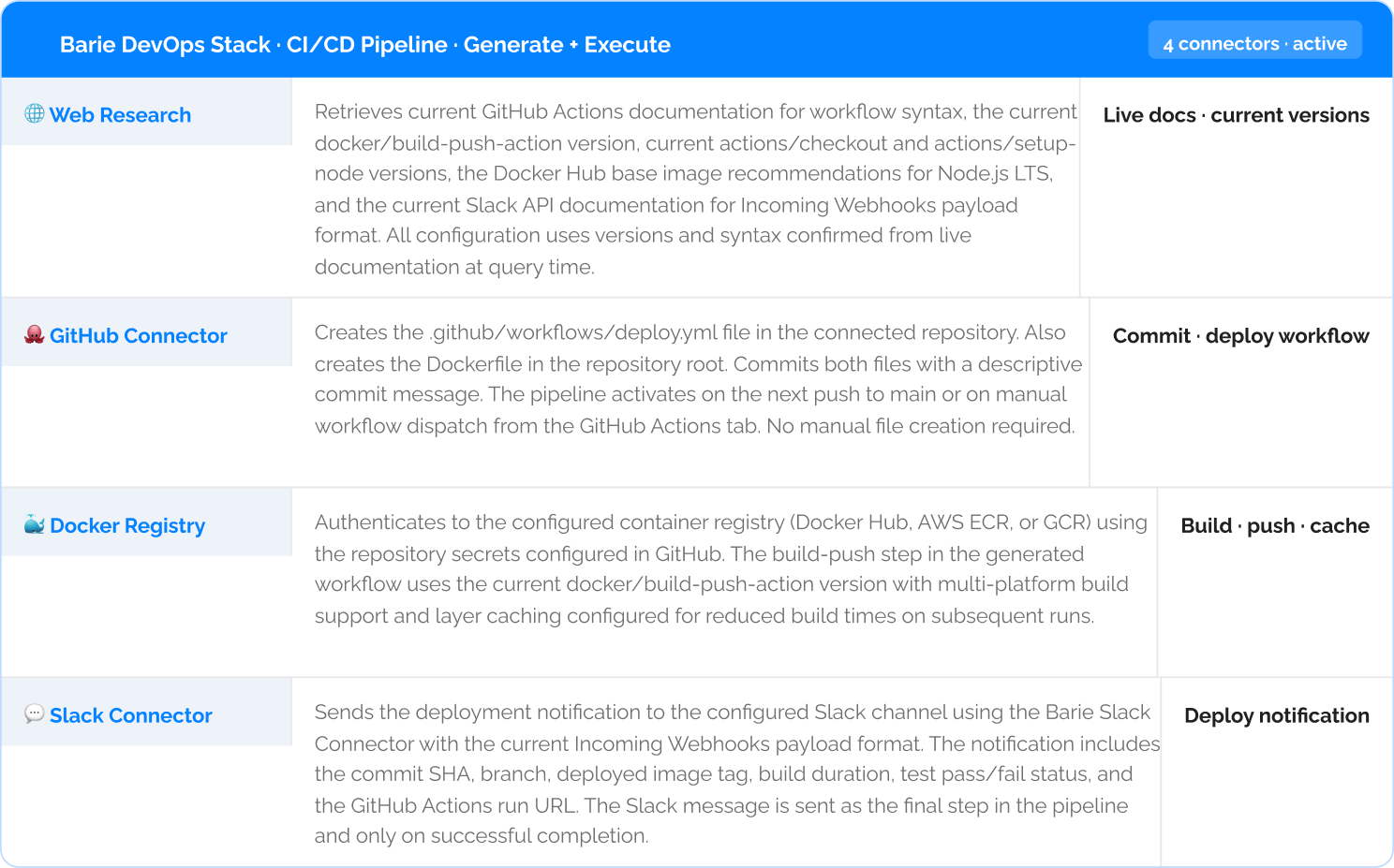
2: Pipeline Flow and Generated Config
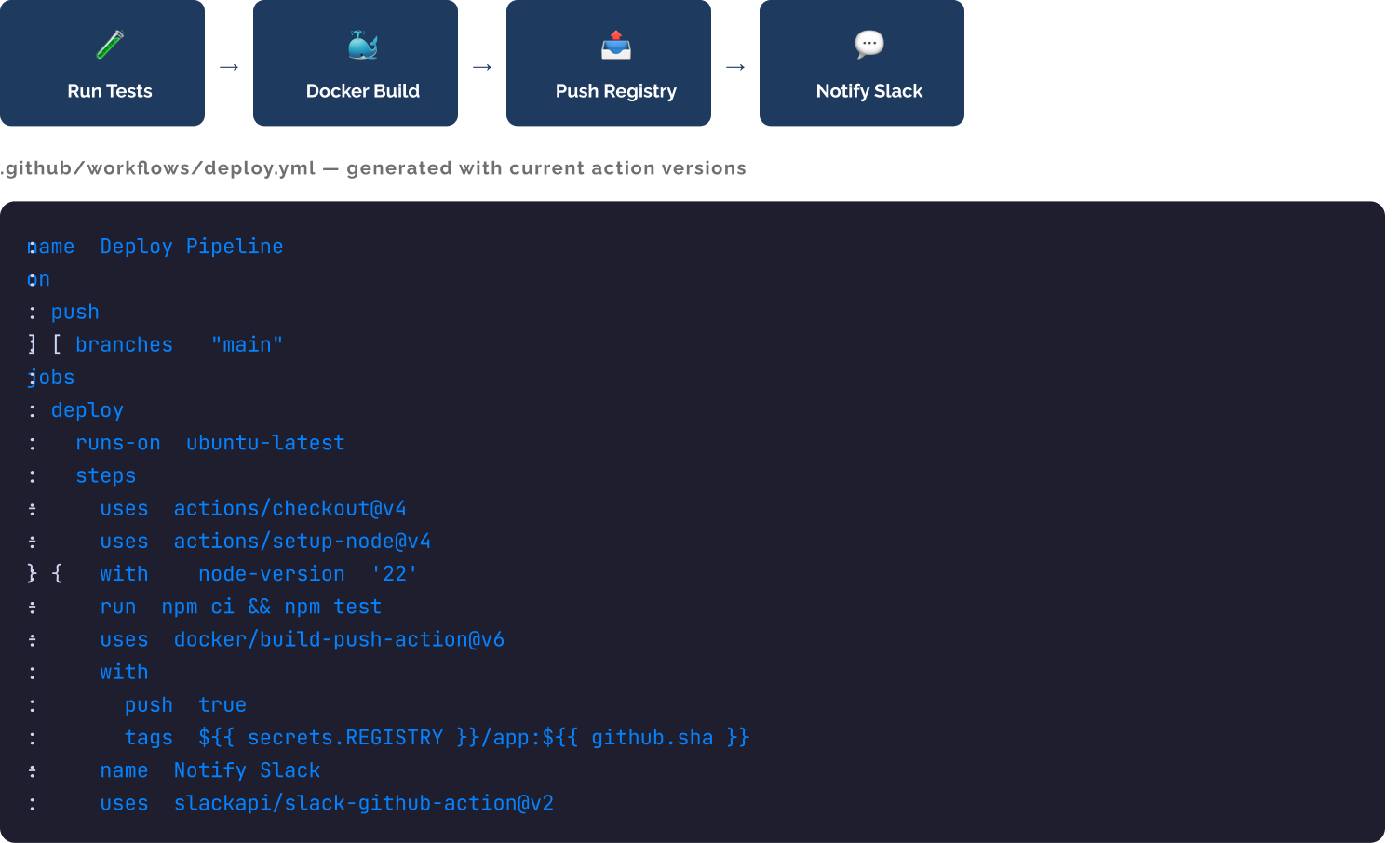
3: Live Pipeline Run Output
Step 3: The pipeline runs — actual execution output from the first pipeline run
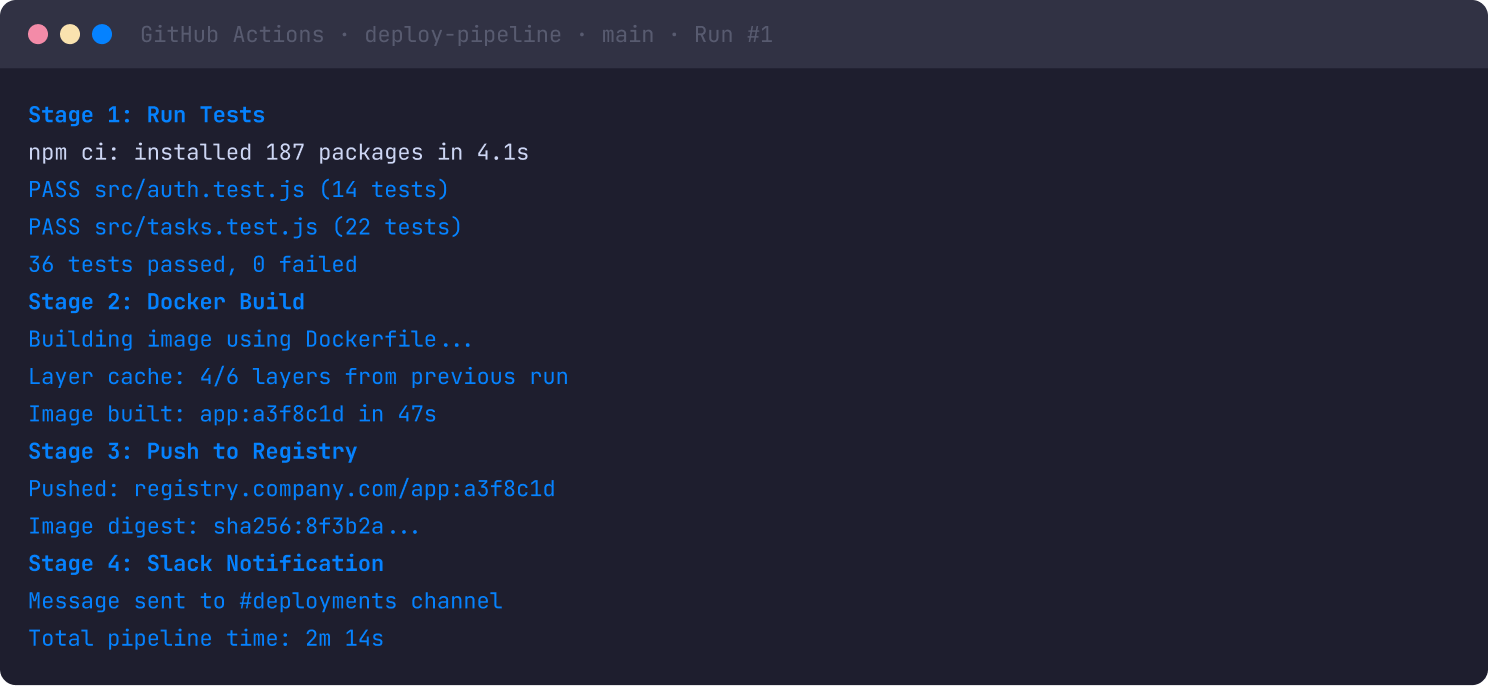
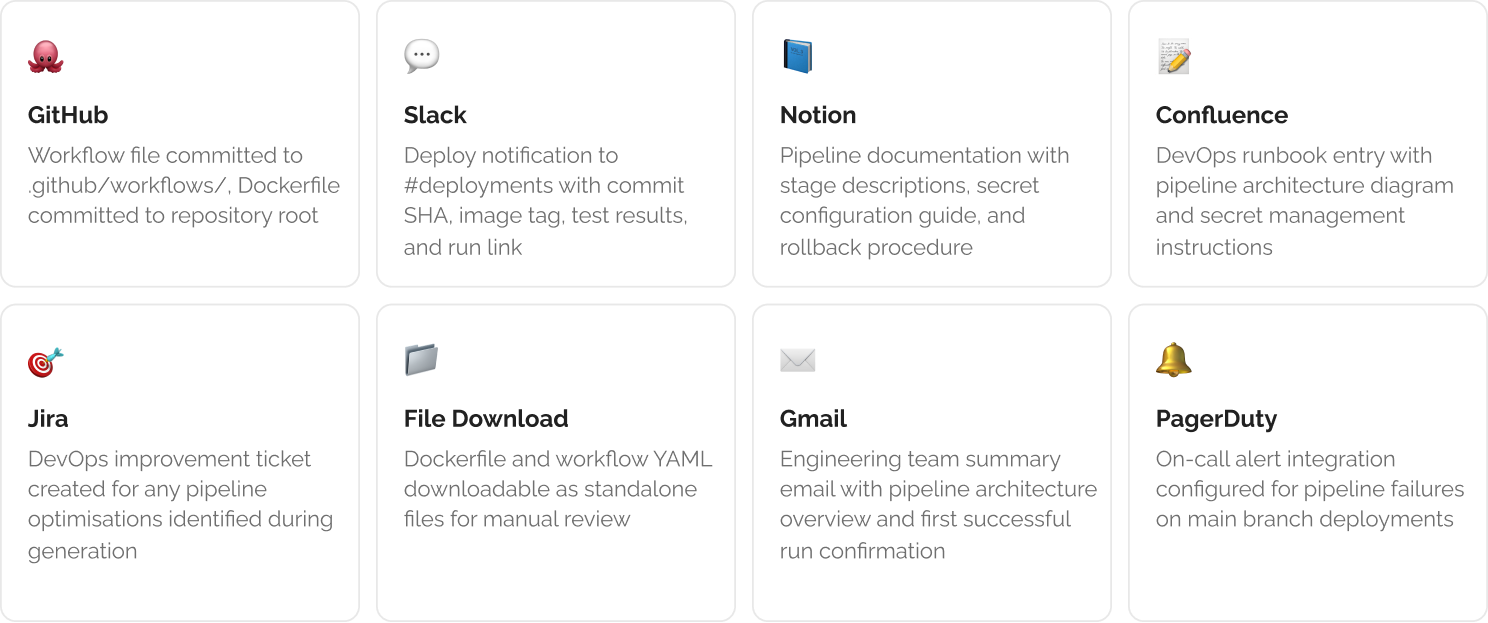
Step 4: Pipeline deliverables across your DevOps tools
The Verdict
The pipeline from this task ran in 2 minutes and 14 seconds. Tests passed, image was built and pushed, Slack notification was sent. None of this required manual YAML editing, GitHub Actions syntax lookup, Docker registry authentication configuration, or Slack Webhook payload debugging. Barie retrieved the current versions of every action, generated the workflow and Dockerfile using current syntax, committed both files to the repository via the GitHub Connector, and the pipeline ran on the first push. That is the difference between configuration assistance and configuration execution.
Barie features used in this task