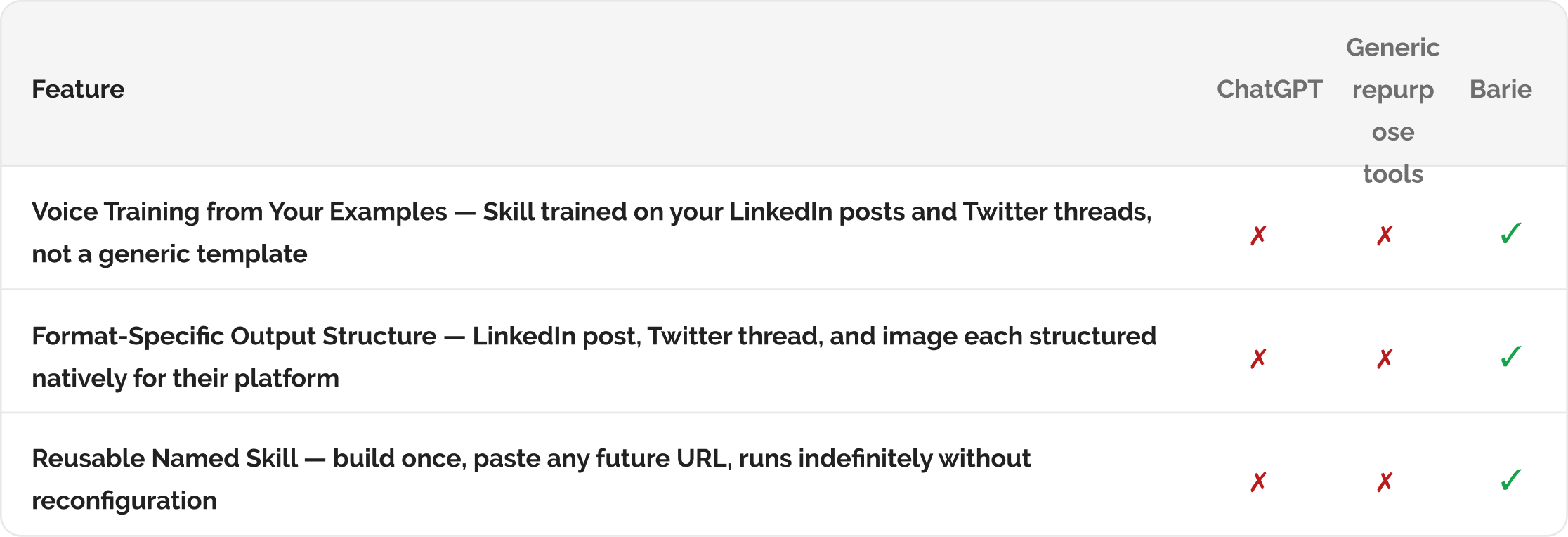
How Barie creates a custom Skill that takes any blog post URL and generates a LinkedIn post, a Twitter thread, and a branded summary image — in your voice
Barie builds a custom Skill trained on your voice from examples you provide. Paste any blog URL. The Skill reads the full post, identifies the arguments that translate to each platform format, writes a LinkedIn post in your voice, writes a Twitter thread in your voice, and generates a branded summary image. Three platform-native outputs. One URL. About 60 seconds. Build the Skill once — it works on every future post.
Why content repurposing stays on the to-do list rather than happening consistently after every post
A content manager publishes a well-researched 2,000-word blog post on Tuesday. She knows it should become a LinkedIn post, a Twitter thread, and an email newsletter section. She starts the LinkedIn post, stares at the blank field, and either produces something that reads like a formal blog summary (the wrong format for LinkedIn) or abandons the attempt. The Twitter thread gets done once every few weeks when someone has extra time.
The barrier is not the volume of work. It is the activation energy required to switch from long-form thinking to short-form thinking for each platform format, every time, for every post. A Skill trained on your best LinkedIn posts and Twitter threads eliminates the blank field problem entirely. You paste the URL. The Skill makes the format switch for you and outputs three platform-native pieces in the voice your audience already engages with.
A Barie Skill trained on your voice examples writes content that sounds like you wrote it — not like an AI summarised your blog post: The LinkedIn post leads with the hook that will stop someone scrolling, uses your paragraph length, and ends with your signature CTA style. The Twitter thread structures the argument for serialised short-form reading, not as section headers numbered one to five. These choices come from your examples, not from a generic template.
Your prompt
Task prompt
“Create a Skill that takes any blog post URL I give it and automatically generates a LinkedIn post, a Twitter thread, and a summary image, all from one prompt.”
1: Custom Skill Built
Step 1: The Blog Repurposing Skill — trained on your voice, triggered by any blog URL
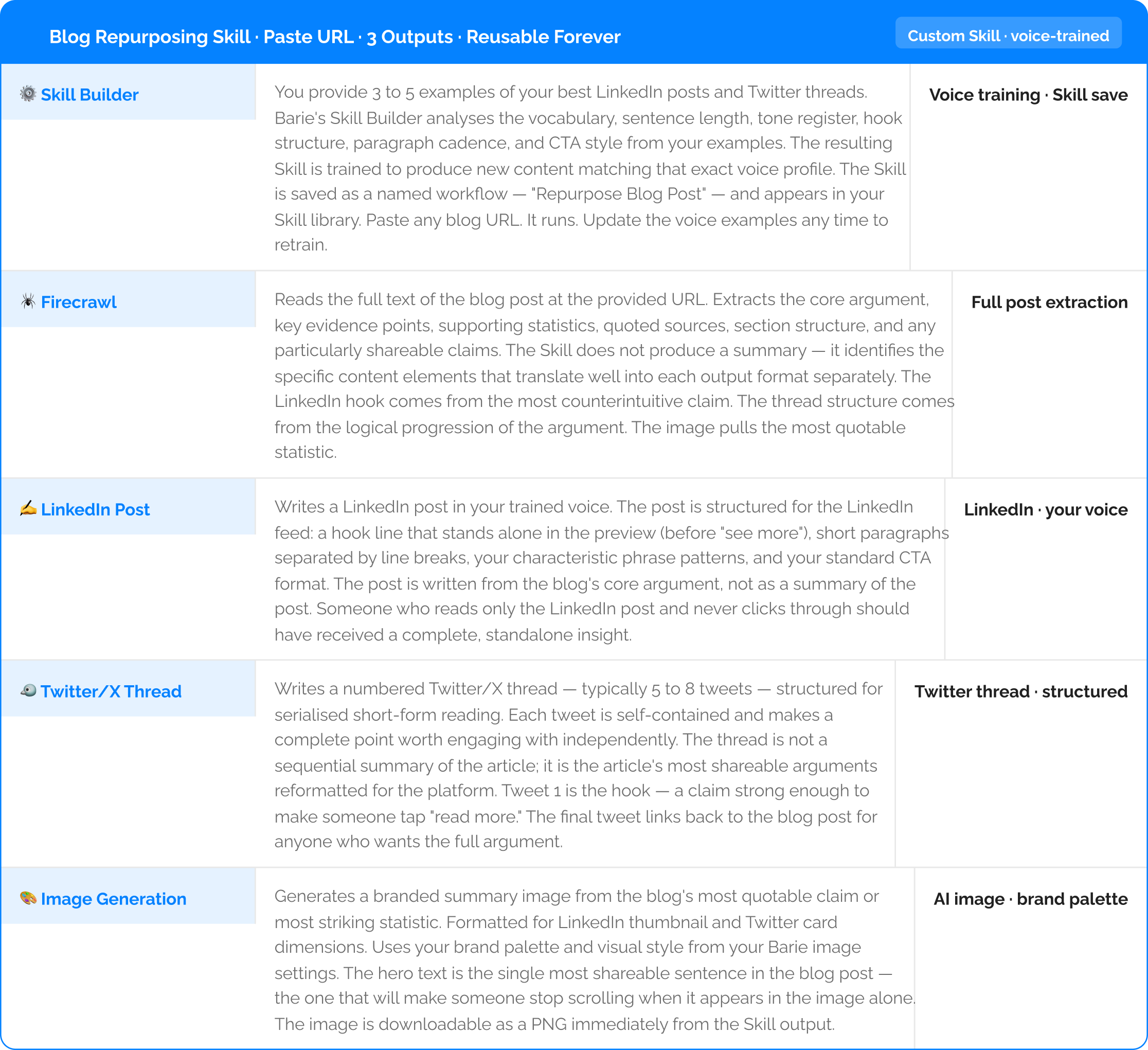
2: Three Outputs from One URL
Step 2: Three platform-native outputs — LinkedIn post, Twitter thread, and branded image

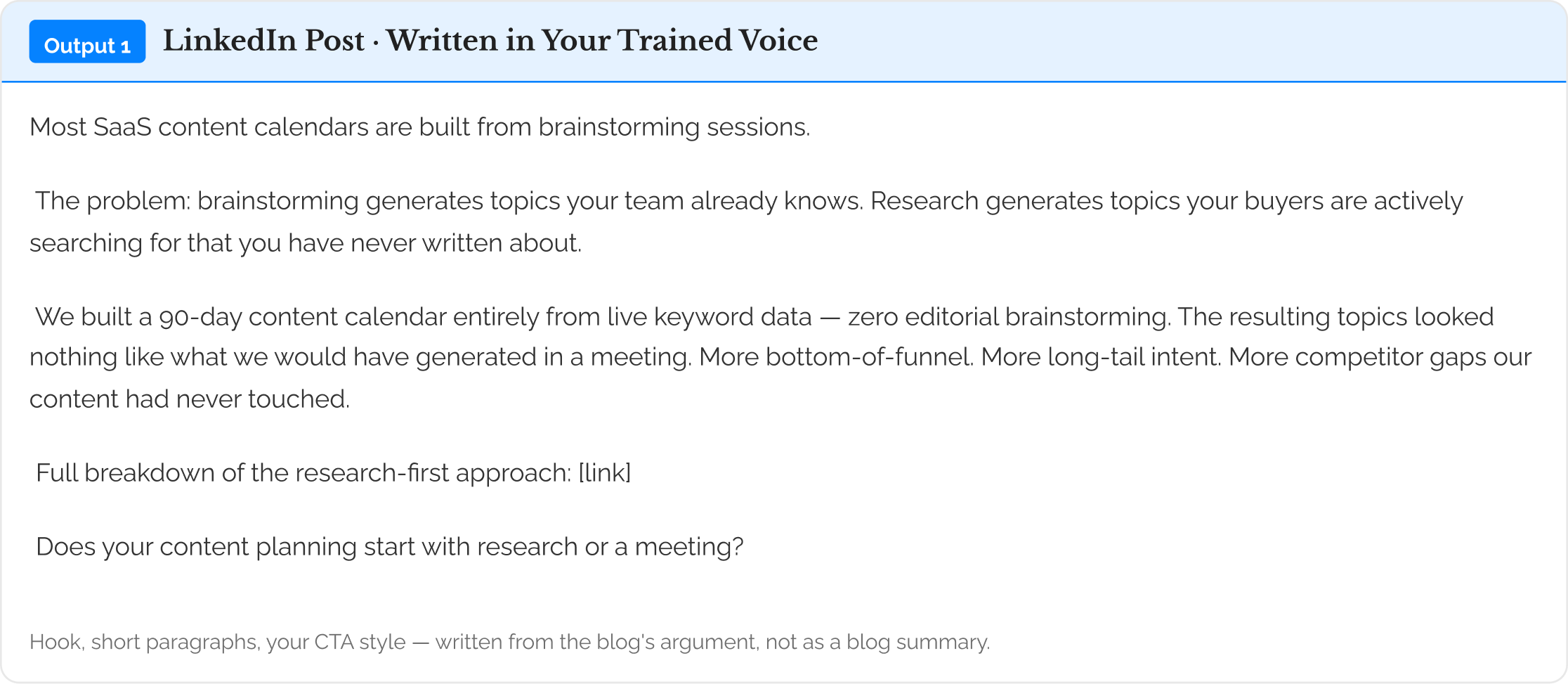
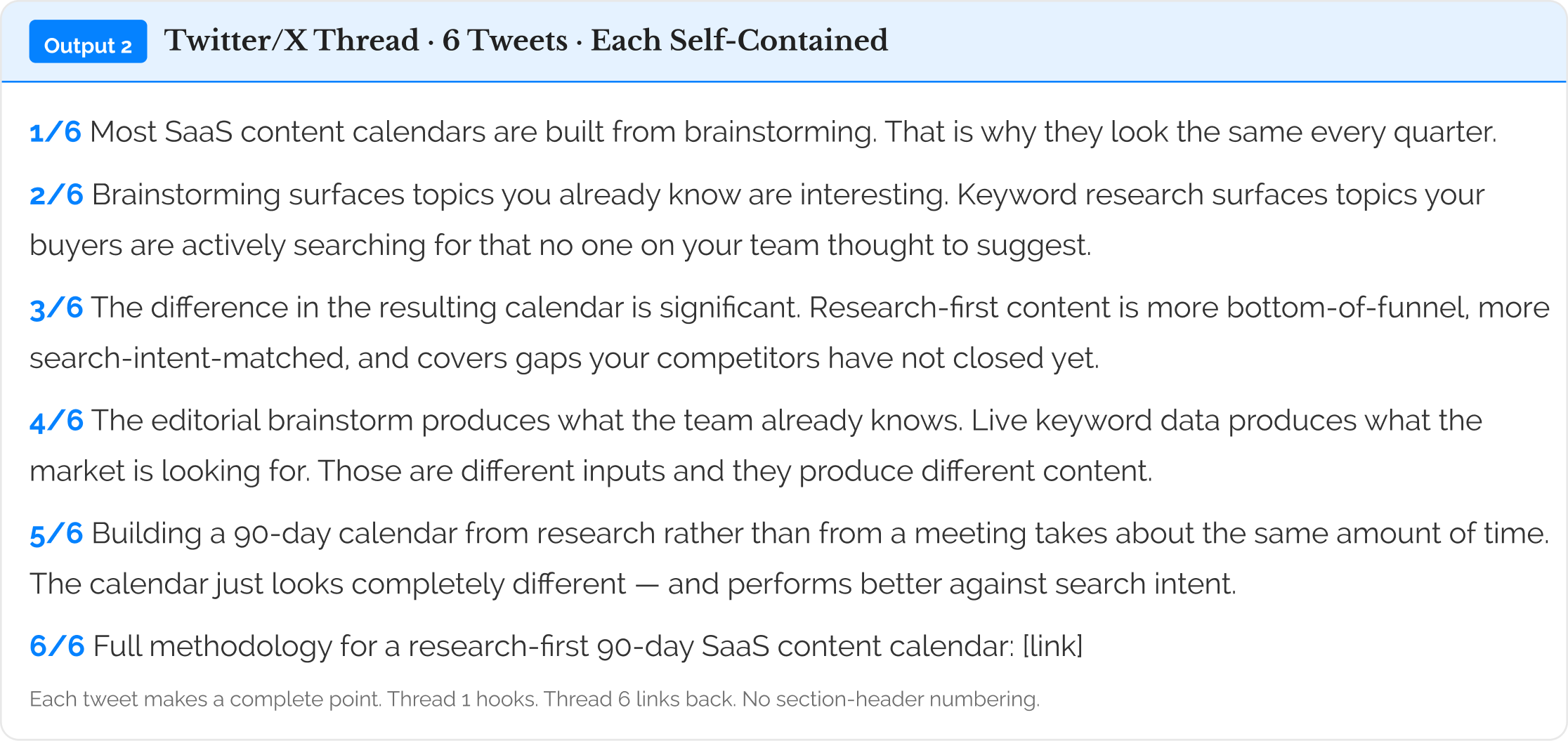
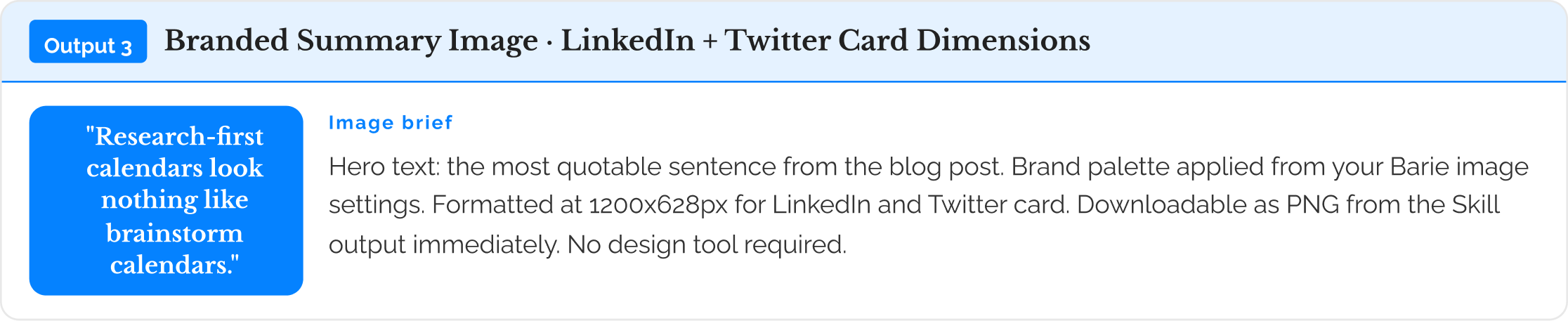
The Skill runs every time you paste a new URL — no reconfiguration, no re-prompting: After the initial voice training setup, the Skill is saved in your Barie library. Any time you publish a new blog post, paste the URL and get three outputs in 60 seconds. The voice training persists. Update your examples any time to retrain.
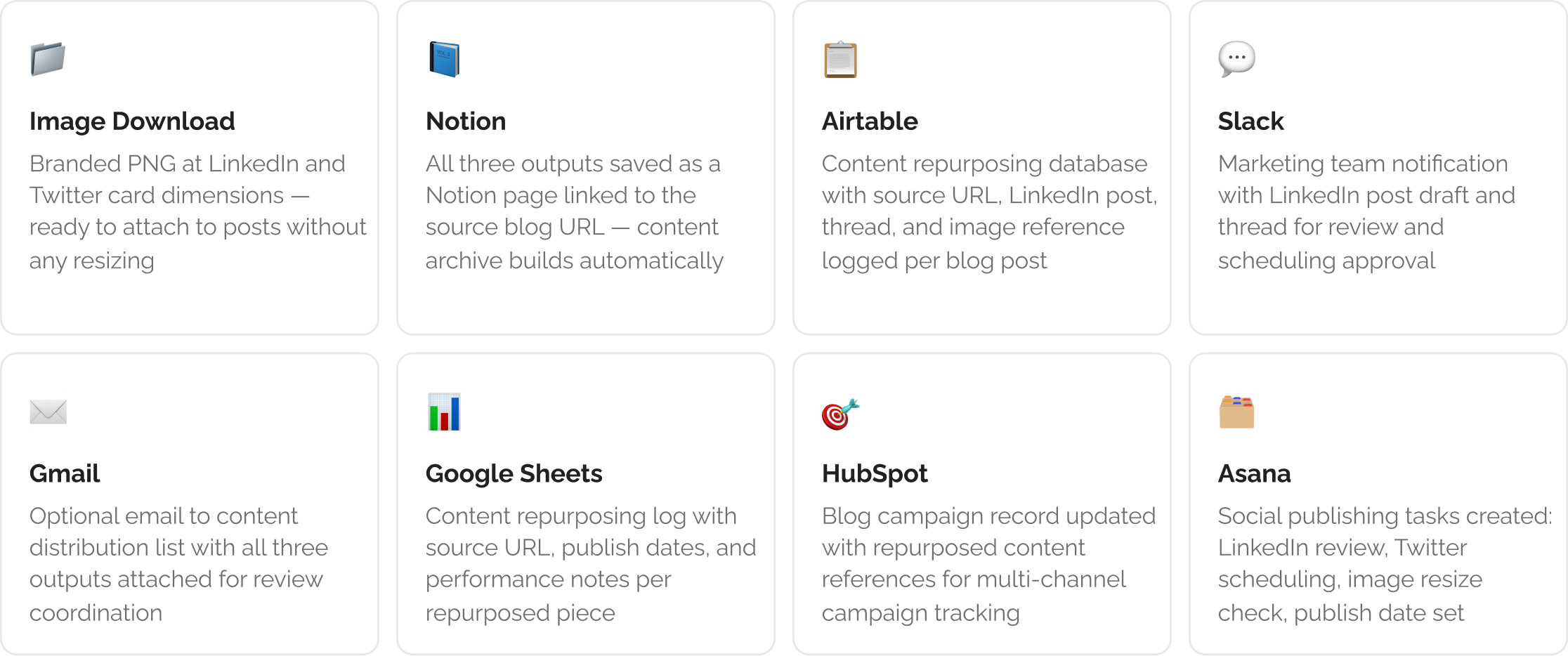
3: Delivered to Your Content Workflow
Step 3: Three outputs delivered to your content and publishing workflow tools
The Verdict
A blog post that generates a LinkedIn summary reading like a blog introduction, a Twitter thread that is just section headers numbered one to five, and a generic featured image is content reformatting, not content repurposing. A Barie Skill trained on your best LinkedIn posts and threads writes the repurposed content in the voice and structure your audience already engages with. The LinkedIn post leads with the hook, not the introduction. Each tweet in the thread is worth engaging with alone. The image uses the sentence that will stop someone scrolling. Three platform-native outputs from one URL in about 60 seconds — and the Skill runs on every future post without any reconfiguration.
Barie features used in this task