How Barie researches all upcoming industry webinars, registers for the relevant free ones, and creates a Calendar event for each — join links included, time zones converted
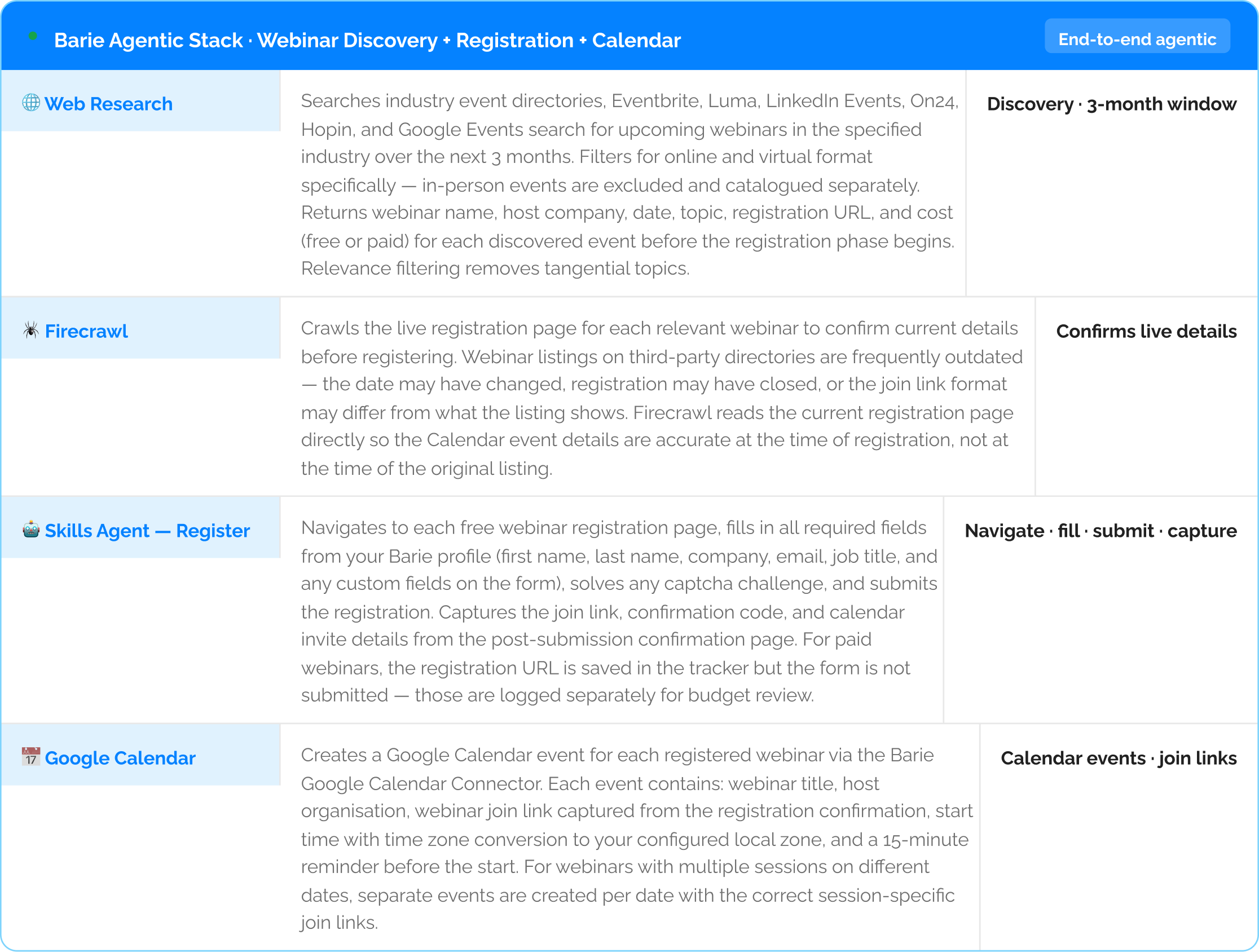
Barie scans industry event directories, webinar platforms, and LinkedIn Events for all relevant webinars over the next 3 months. For each free, relevant webinar it navigates to the registration page, fills in the form, solves any captcha, submits, captures the join link from the confirmation, and creates a Google Calendar event with the correct time zone and join link embedded. Discovery, registration, and scheduling automated end to end in a single session.
Why building a quarterly webinar pipeline always happens reactively — and why relevant webinars keep getting missed
A product marketing manager wants to stay current with her industry through webinars. She discovers a relevant one on LinkedIn, registers, and adds it to Calendar manually. Three weeks later she discovers another one — and realises she missed two others while she was heads-down on a project. There is no system. There is reactive discovery, which means attendance is random rather than strategic.
The full chain — discovering all relevant webinars in advance, checking that registration is still open on each, filling in the registration form, solving any captcha, capturing the join link, and creating a Calendar event with the correct time zone — involves 5 to 8 browser interactions per webinar. For 21 webinars over a 3-month window, that is the better part of an afternoon. Barie handles every step of that chain in a single session, for every relevant webinar, without any manual browser interaction.
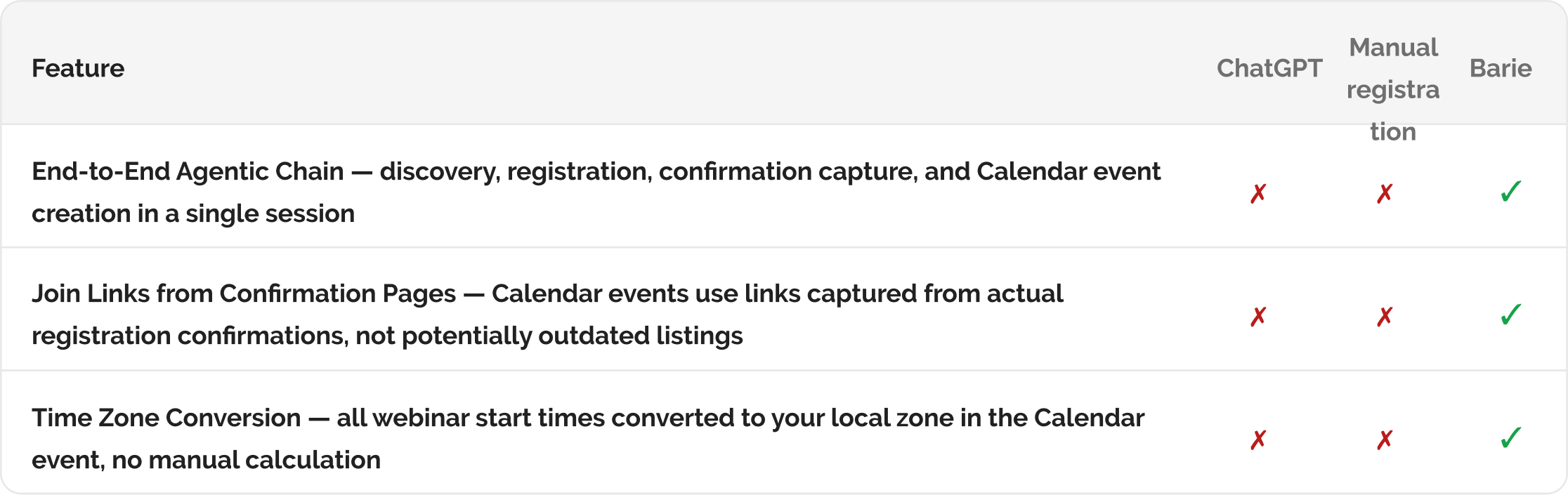
The join link in the Calendar event comes from the actual registration confirmation page — not from the Eventbrite listing that may not be updated: When you click Join in Calendar the week of the webinar, the link is accurate because Barie captured it from the post-submission confirmation, not from the original event listing. This is the detail that matters at 10:58 AM when the webinar starts at 11.
Your prompt
Task prompt
“Research all upcoming webinars in our industry for the next 3 months, register for the relevant ones, and create a Calendar event for each.”
1: Skills Agent Activated
Step 1: End-to-end agentic chain — discovery, registration, confirmation capture, and Calendar sync

2: Webinar Pipeline + Calendar Events
Step 2: 21 registrations completed, 21 Calendar events created — the next 3 months of webinars scheduled before lunch
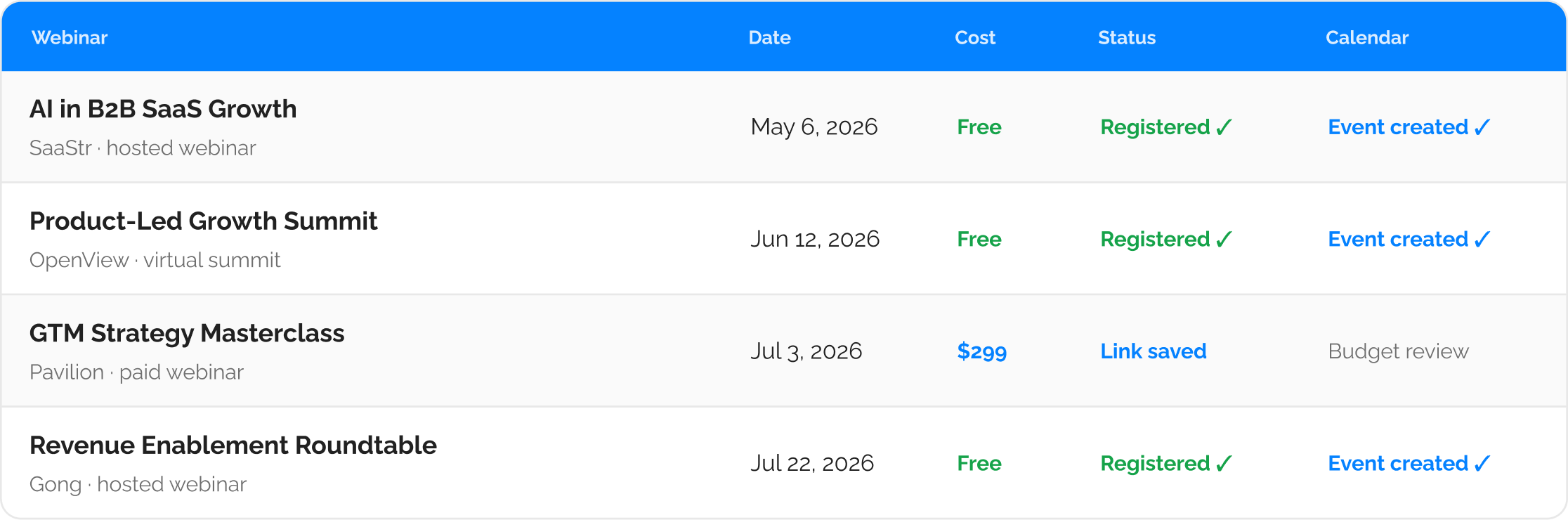
17 additional webinar rows in the full tracker — all registered free ones have Calendar events with confirmed join links and converted time zones
Every Calendar event shows the correct local start time because Barie converts time zones at the point of event creation: A webinar listed as “2:00 PM ET” creates a Calendar event at the equivalent time in your configured local zone. You do not need to calculate the conversion. The 15-minute reminder fires before the actual start time in your zone, not before the time listed in the original event description.
3: Delivered to Your Tools
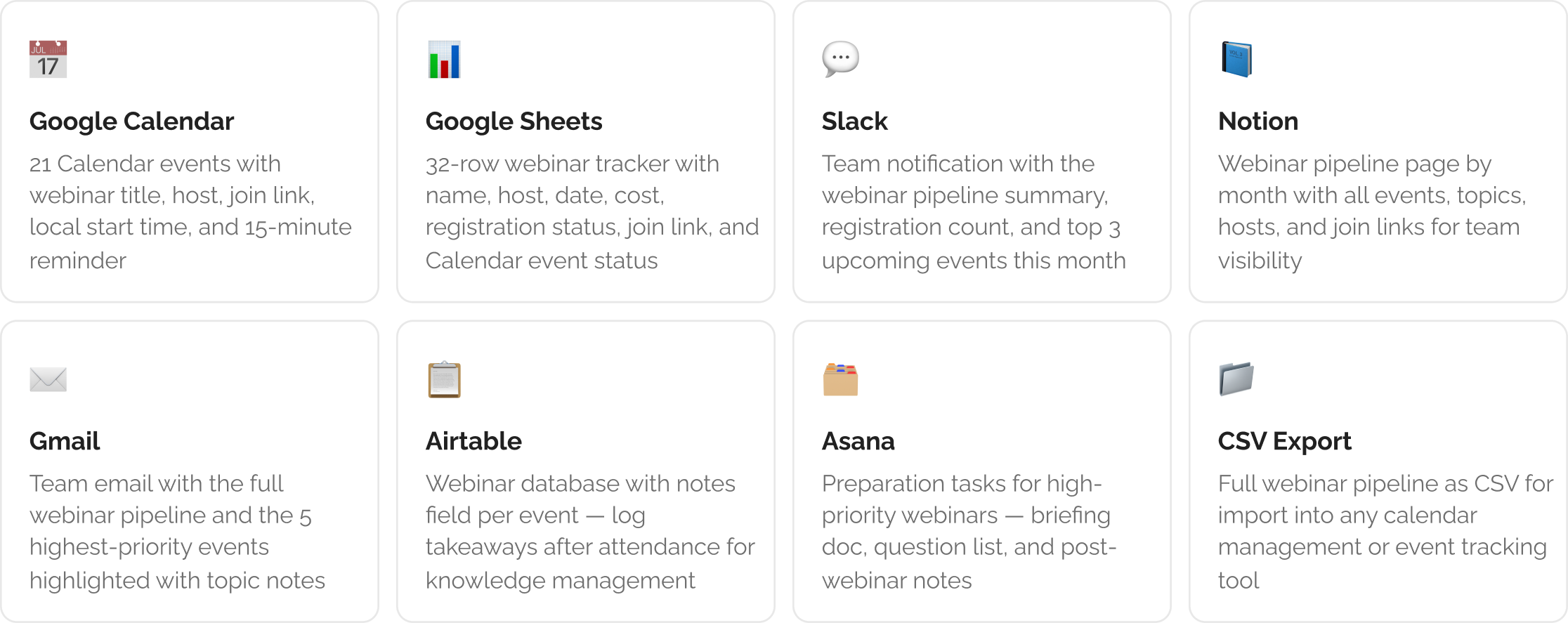
Step 3: Calendar events created, tracker exported, and team notified via Connectors
The Verdict
Twenty-one webinar registrations and Calendar events with accurate join links, all completed before lunch without opening a single registration form. The three paid webinars are catalogued with pricing for a budget conversation that can happen at the right time. The Calendar for the next three months shows 21 webinars with topics, hosts, and confirmed join links already embedded. When the first one is three days away, the 15-minute reminder fires in your local time zone. The join link in the event works because Barie captured it from the registration confirmation page, not from the Eventbrite listing that may have been updated. That is the detail that matters at 10:58 AM.
Barie features used in this task