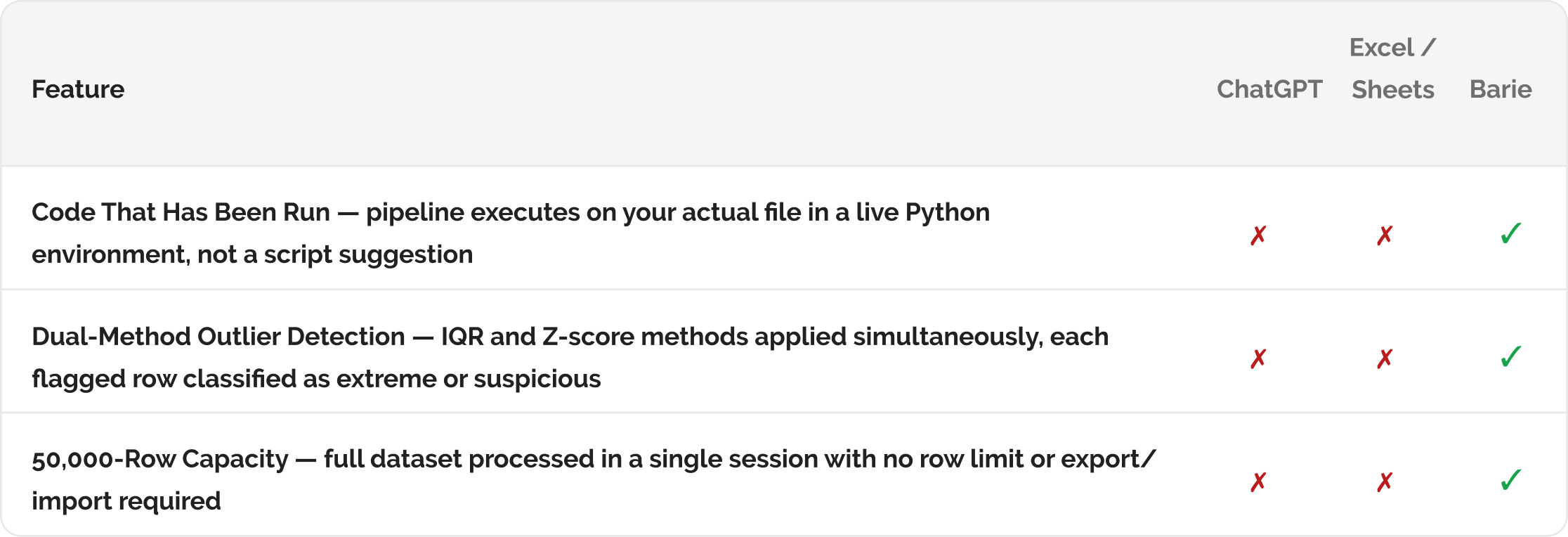
How Barie processes a 50,000-row CSV, cleans the data, identifies outliers, and generates a structured summary report
Upload the file. Barie’s Coding Agent reads the dataset, executes cleaning operations — removing duplicates, handling missing values, standardising formats — identifies statistical outliers using IQR and Z-score methods, generates summary statistics for every column, and delivers a structured report with visualisation outputs. The code has been run, not suggested.
Why 50,000-row data cleaning and outlier detection done manually takes days and introduces human error
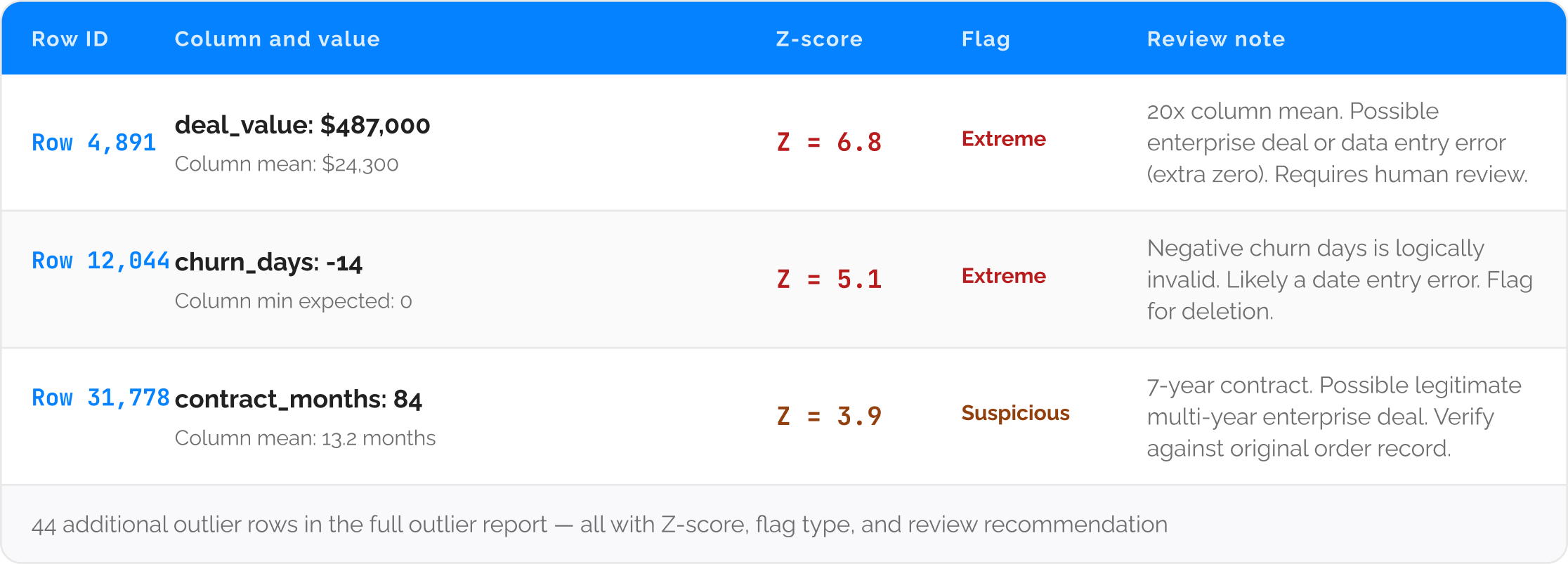
A data analyst receives a 50,000-row sales transaction dataset to prepare for a quarterly analysis. She opens it in Excel, immediately runs into the column limit warning, and switches to Python. She writes a cleaning script over two hours, discovers three new data quality issues while running it, revises the script twice, and finally produces a cleaned dataset. She then writes a separate outlier detection script, identifies 47 outlier rows, and has to manually review each one to classify it as an error, a legitimate extreme value, or a data entry anomaly. Total time: six hours for a task that is mechanically repetitive and fully codeable.
The analysis she actually wanted to do — understanding the patterns in the data — starts six hours after she received the file. Barie executes the cleaning and outlier detection pipeline automatically on the uploaded file. The Coding Agent writes and runs the code in a sandboxed Python environment, handles every data quality pattern encountered, and delivers the clean dataset and the outlier report in the same session as the summary statistics.
This is code that has been run, not code that has been suggested: Barie’s Coding Agent executes the data processing in a live Python environment. The cleaning operations, the outlier detection calculations, and the summary statistics are computed from your actual data. The output is the result of running the pipeline, not a script for you to run yourself.
Your prompt
Task prompt
“Process this 50,000-row CSV, clean the data, identify outliers, and generate a summary report.”
1. Coding Agent + Deep Research Activated
Step 1: The Coding Agent executes the full data processing pipeline on your uploaded file
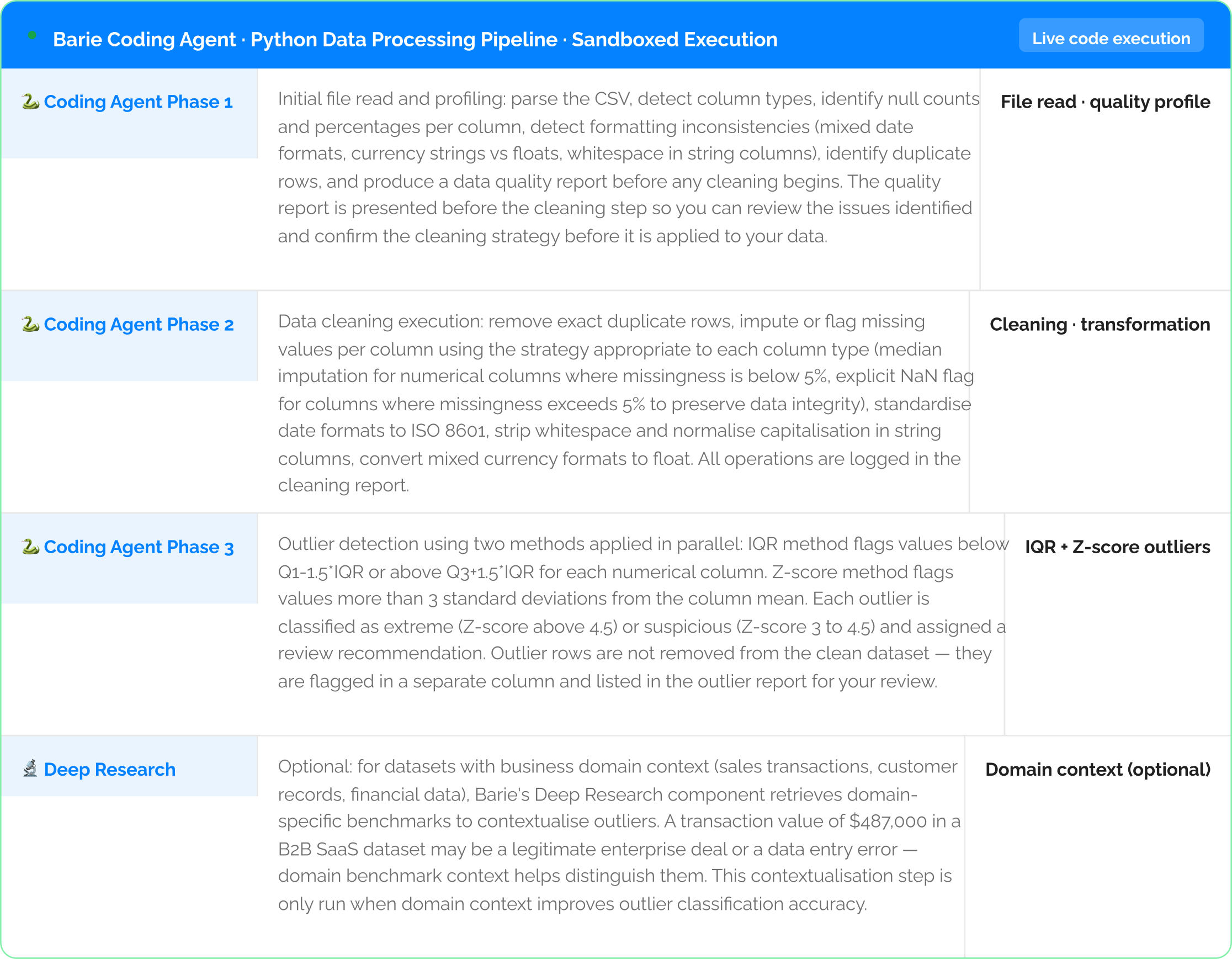
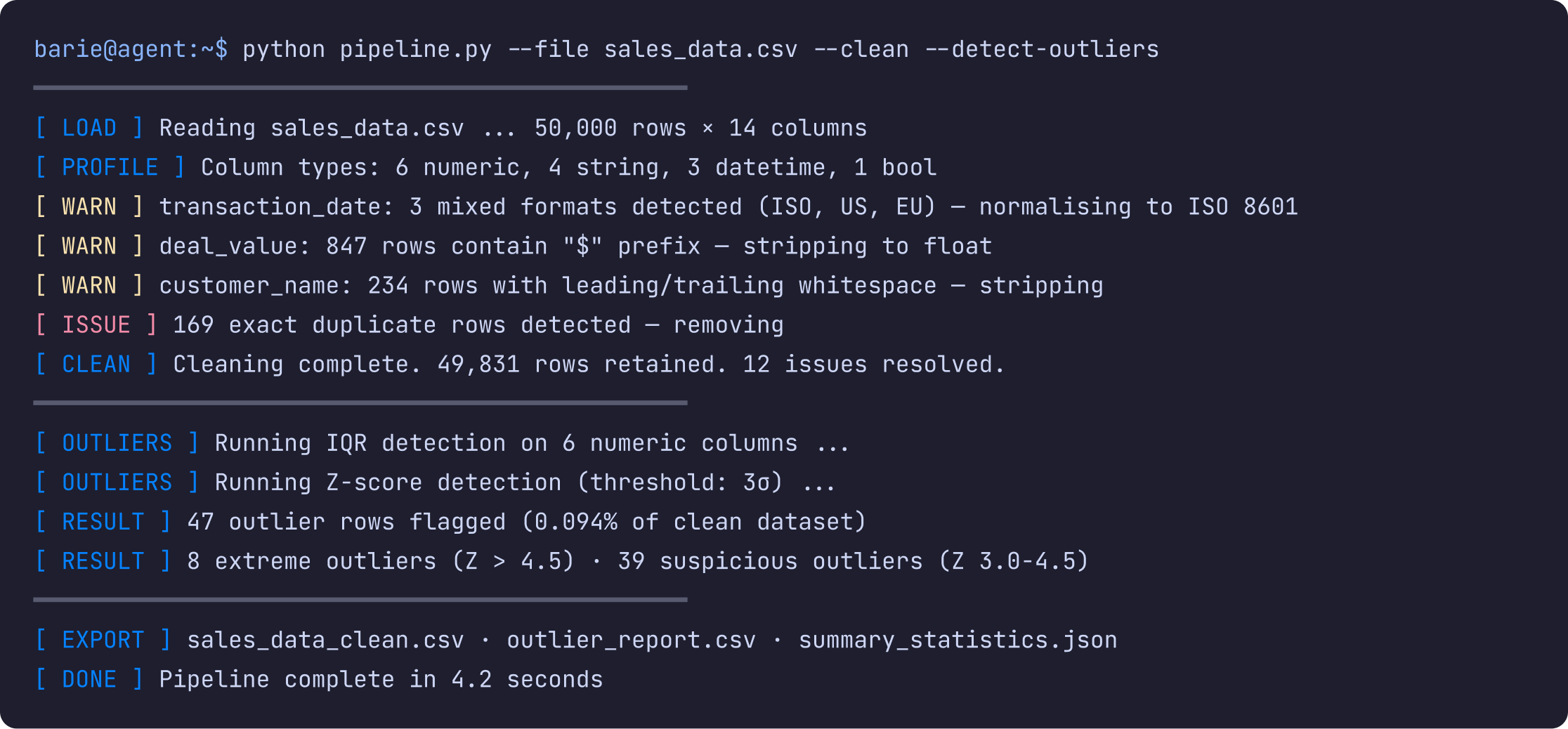
2: Pipeline Output — Execution Log and Outlier Table
Step 2: The processing pipeline output — execution log, cleaning summary, and identified outliers

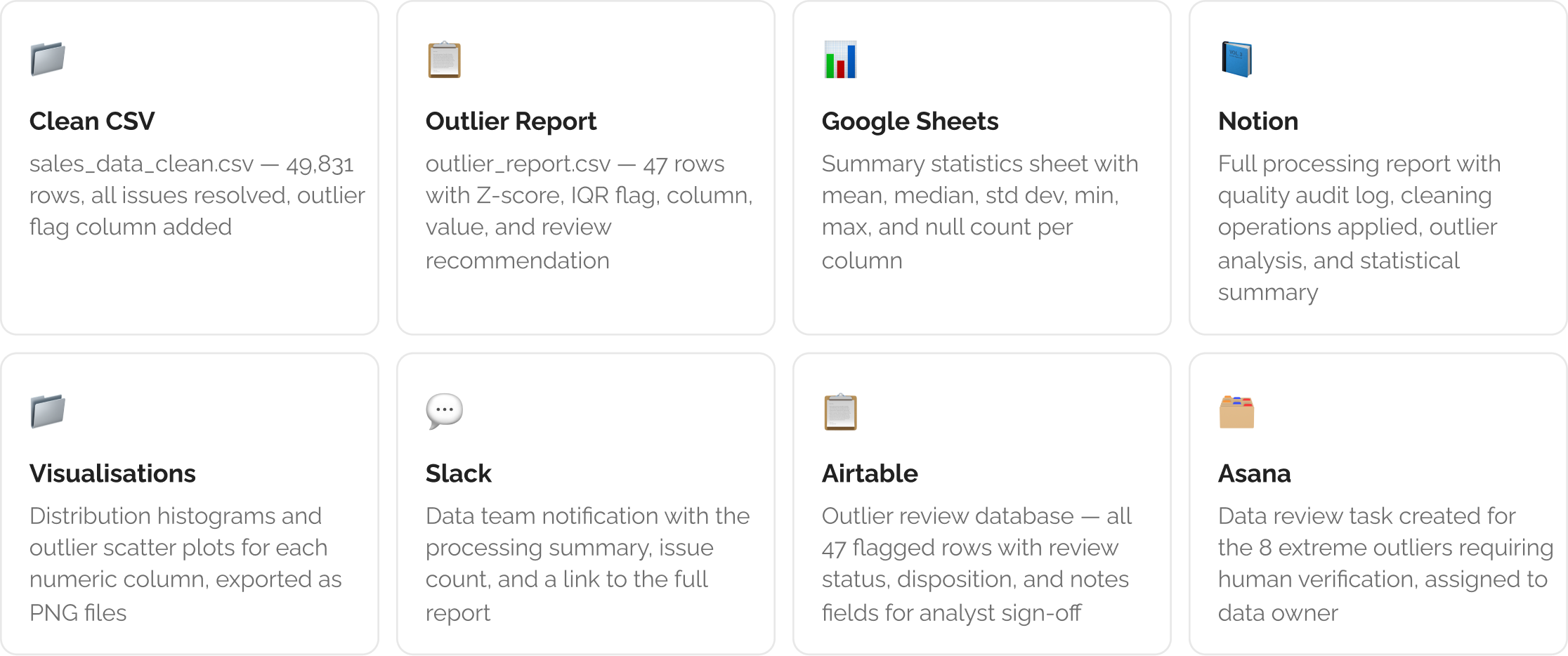
3: Outputs Delivered to Your Data Tools
Step 3: Clean dataset, outlier report, summary statistics, and visualisations delivered
The Verdict
Six hours of manual data cleaning, quality checking, and outlier detection work becomes a 4.2-second pipeline execution. The Coding Agent writes and runs the code on your actual file — it does not suggest a Python script for you to adapt and run yourself. The output includes the cleaned dataset, the outlier report with Z-scores and review recommendations for every flagged row, and the summary statistics for every column. The analysis you actually wanted to do starts with the first minute of the session, not after six hours of data preparation.
Barie features used in this task