




Barie’s connectors are built for professionals, teams, and organizations that deal with information overload, scattered tools, or workflow fragmentation.
Connect your favorite apps to Barie and take action from a single place.
What Are Barie.ai Connectors?
Connectors are software components or interfaces that allow Barie to integrate and communicate between commonly used apps. Once your apps are connected, Barie can fetch, display, and update data, take actions on your behalf, and automate your workflows. Whether it’s syncing data from your CRM, managing tasks, or organizing documents, Barie.ai Connectors save you time and help you focus on the work that matters.
Barie.ai Connectors allow you to link your favorite apps directly to Barie, making your workflows smarter, faster, and more automated. You are able to access, manage, and act on data from all your connected apps without switching between platforms. With Barie.ai Connectors, everything is synchronized in real-time, so you stay up-to-date without the hassle of app-hopping.
Using connectors to update data to Barie also means that it always has the latest version of data, because any changes you make in your apps will be synchronized automatically in Barie.
Which Apps are Supported in Barie?
At the moment, Barie.ai Connectors support integrations with the following popular cloud storage services and apps. More connectors will be available soon:
- HubSpot (CRM & Marketing Automation)
- Asana (Task & Project Management)
- Media Watcher (Platform for real-time media monitoring and sentiment analysis on the internet)
- AML Watcher (Platform for monitoring and detecting suspicious activities)
- Supabase (Platform to manage databases, run queries, and organize data efficiently)
- Firecrawl (Tool for web scraping and crawling)
- Linear (Platform for project management)
- Monday (Project management platform for teams)
- Hugging Face (Tool for machine learning and natural language processing)
- Todoist (Task management platform)
These integrations allow Barie to retrieve data from your apps, automate workflows, and provide you with real-time insights, all without needing to switch between platforms.
How Barie.ai Connectors Work
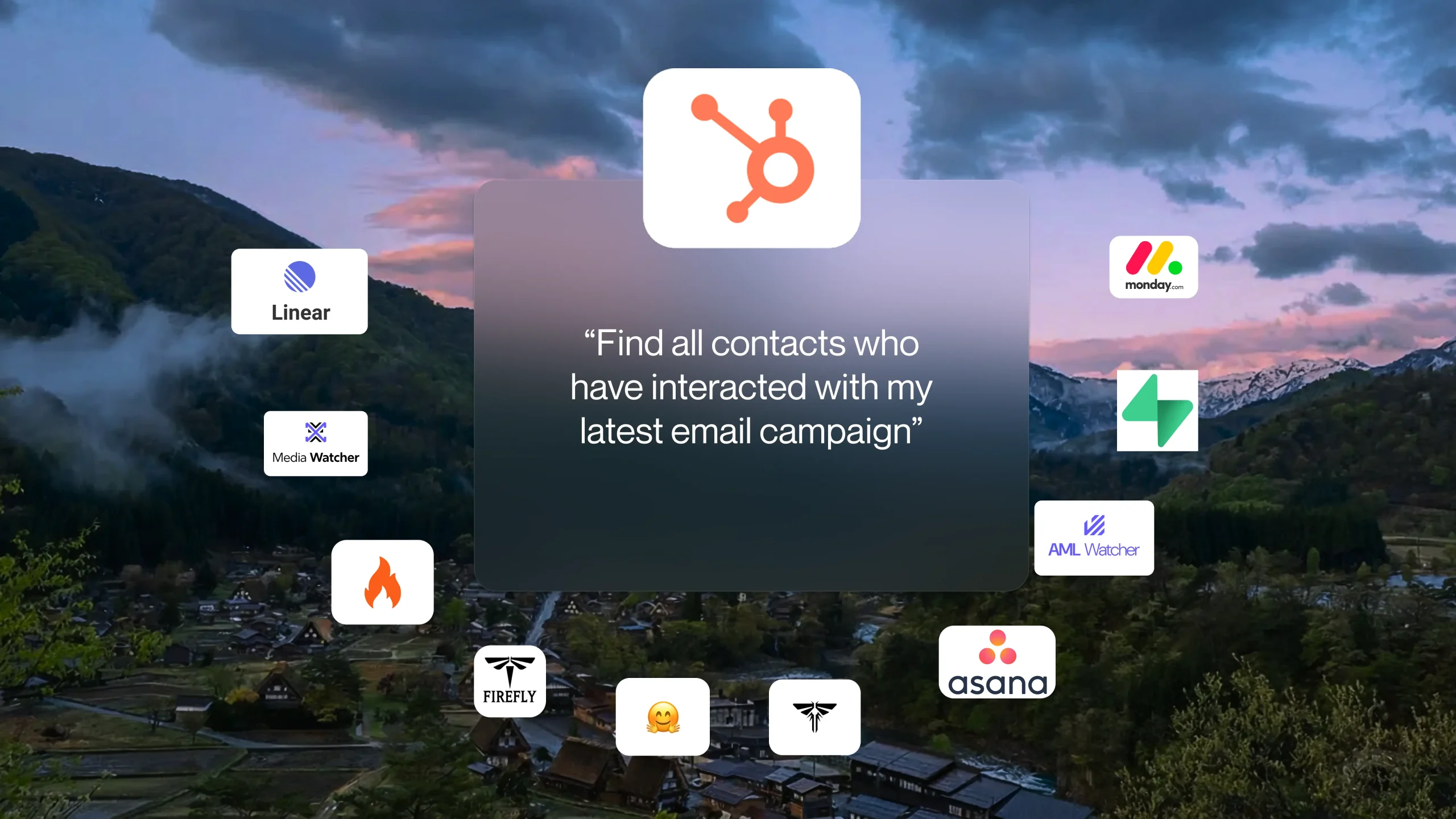
Barie.ai Connectors work both for individual users and across organizations. Here’s how it works: while using the platform, you don’t need to set up complex integrations or learn new tools. You simply ask a question (which you want in a specific platform), and it will fetch data in real time, analyze it, and also synthesize an actionable answer or summary.
For Users: You can link your accounts and select the specific files, data, or tasks that Barie can access. This gives you control over what gets synced and ensures that your data remains secure.
Once the apps are connected, Barie will start syncing your selected files and data automatically. It’s that simple.
Setting Barie’s Connectors Up
How to Activate Your Favorite Connector
Here’s a step-by-step guide to setting up Connector for maximum value:
Sign Up or Log In
Go to the Barie website
Create an account or log in with your existing account
Access the Connectors or Integrations Section
Hover over the section labeled “Connectors” in the main dashboard.
As you will click, you will find a library of available connectors.
Choose Connectors to Activate
Users can browse the list of apps and select the connector/s they want to use:
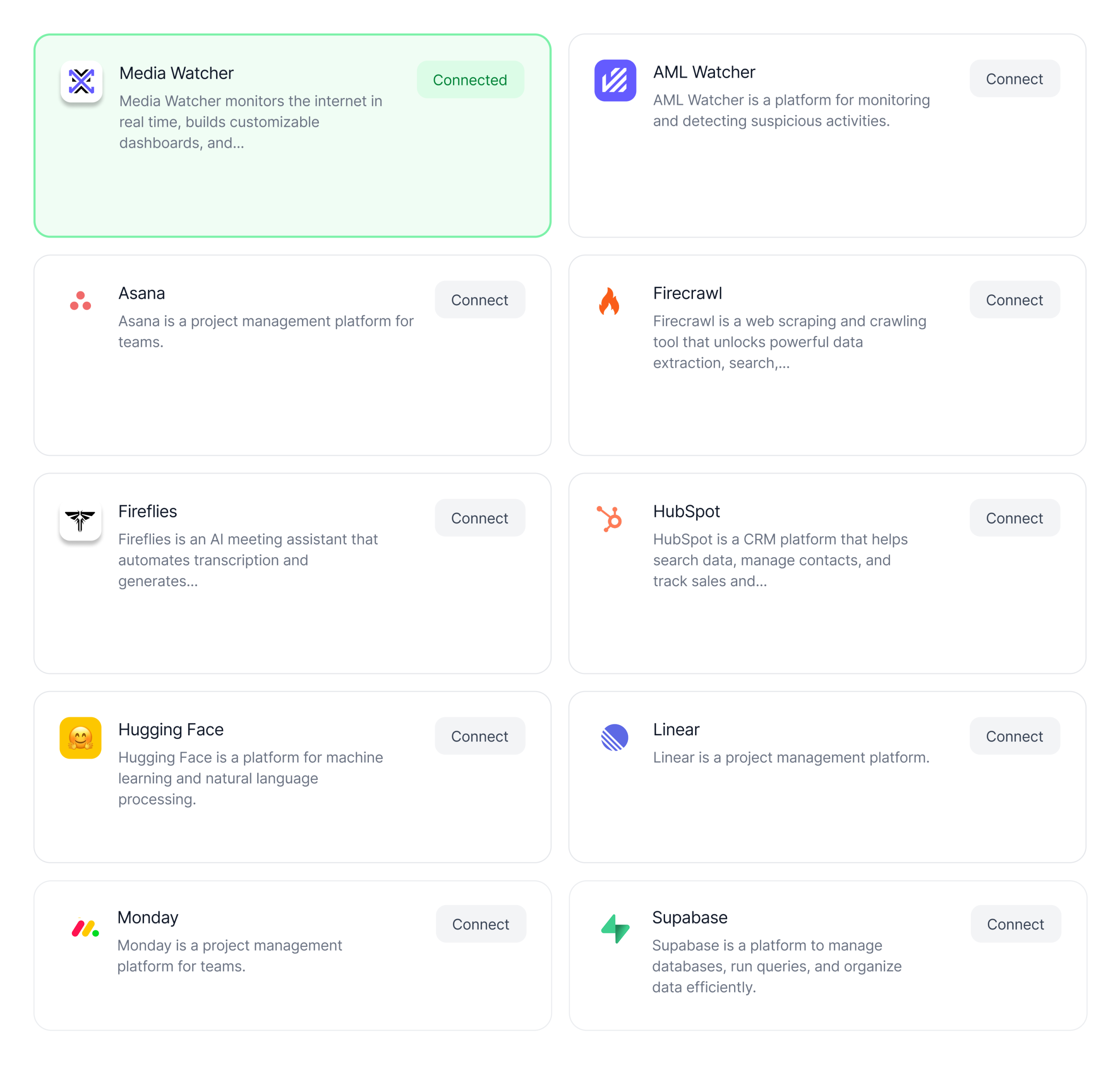 For example: For media and sentiment insights, pick Media Watcher
Click “Connect” beside the app you want to enable.
Authorize and Configure
Users may be prompted to either securely log in to the external platform or for some apps, through APIs.
Follow the procedure to connect the app, as outlined.
Experience the Seamless Workflow
Once activated, you can ask Barie to do any work in the apps on your behalf. Give prompts to fetch data or simply add contacts in HubSpot, Barie will do it for you, in just one place, and click, and you don’t even have to mention the connector’s app name, Barie can figure it out itself if an app connector applies for the given prompt.
What Are the Benefits of Barie.ai Connectors?
Here’s how Barie.ai Connectors can make a real difference in your organization:
- Efficient Workflows: No more switching between tabs or apps. With Barie.ai Connectors, all your data and tasks are in one place. You can access, update, and act on information from any connected app without leaving Barie.
- Automated Actions: Barie takes care of the repetitive tasks, like updating CRM records or syncing project progress. Let Barie do the heavy lifting while you focus on higher-priority tasks.
- Real-Time Syncing: Changes made in any connected apps are reflected in Barie instantly. There’s no need to worry about outdated information because everything is updated in real-time.
- Security and Control: You have full control over what data Barie can access. Files and data are synced only with the right permissions, ensuring that your information remains secure and private.
What Types of Data and Files Are Supported?
Barie.ai Connectors support a wide range of file types and data, including:
- CRM Data: Sync customer and lead information from HubSpot.
- Task Management: Sync tasks, projects, and deadlines from Asana and Monday.com.
- Documents: Sync documents from Google Docs, Microsoft Word, PDFs, and more.
- Spreadsheets: Sync data from Google Sheets, Excel, CSV files.
- Reports: Sync reports in PDF, Markdown, JSON, CSV formats.
How to Use Barie.ai Connectors in Your Workflows
There are two main ways to use Barie.ai Connectors:
- As a Source for Search: Use the files and data from your connected apps as sources when creating new tasks or threads in Barie. This allows you to pull relevant data from all your apps into one search.
- As Attachments: Add files directly from your connected services as attachments when creating tasks or querying Barie. This makes it easy to work with documents and get insights from them.
Security and Data Privacy
We take security seriously. All data transferred through Barie.ai Connectors is encrypted both at rest and in transit.
With Barie, your data stays private. The platform doesn’t use your files for model training. Only users with proper permissions can access synced files.
Other Important Notes
- File Updates: Any updates made to your synced files will automatically be reflected in Barie. If a file is deleted or access is revoked, it will be immediately removed from Barie.
- Account Limitations: Each user can connect one account per app. If you disconnect an app, all synced files will be removed from Barie.
Get Started with Barie.ai Connectors
Ready to make your workflow smoother and more efficient? Barie.ai Connectors are the perfect tool to automate tasks, sync your data, and simplify your day-to-day work.